
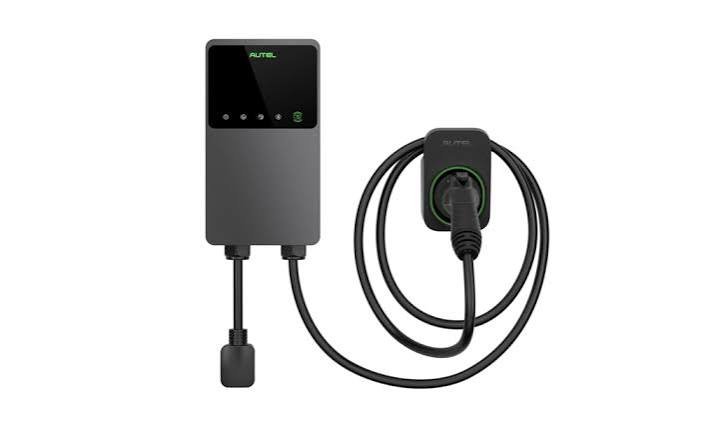
Autel MaxiCharger Home Guide
Autel MaxiCharger Home Guide: 5 Essential Buying Tips
This Autel MaxiCharger Home guide helps you compare the details that matter before ordering: charging output, installation type, connector storage and the way the equipment fits your parking space.
Similar product names can hide meaningful differences. Understanding the exact configuration helps you choose a charger that suits your home and daily routine.
Understand the Main Configuration Choices
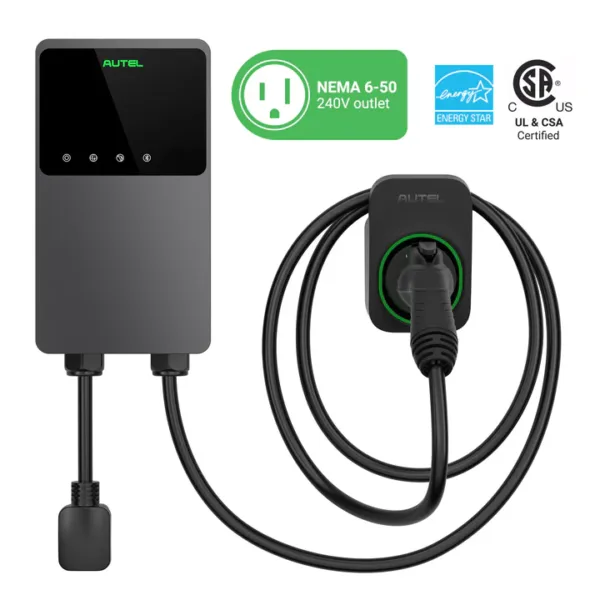
Autel’s published comparison information includes MaxiCharger AC Elite Home 40A models with NEMA 14-50 or NEMA 6-50 plugs, along with 50A hardwired models. It also distinguishes separate-holster and in-body-holster versions.
These choices affect what you order and how you plan the installation. Review Autel’s product comparison information and match the exact model to the seller’s listing.
1. Choose Output Around Your Driving Routine
Start with how much you drive and how long your vehicle normally remains parked at home. These details give you a more useful starting point than a general promise of faster charging.
Check the vehicle’s AC charging capability. The charging rate available to you depends on the vehicle and the installation, as well as the charger’s specifications.
If another EV may join your household, explain that to your electrician. Planning ahead can be useful when it is based on a realistic assessment of the property and how the charging spaces will be used.
2. Confirm the Plug or Hardwired Configuration
NEMA 14-50 and NEMA 6-50 identify different plug configurations. Check this detail carefully when comparing listings and placing an order.
If you already have an outlet, provide photographs and relevant circuit information to your installer. The installer should assess whether that arrangement is suitable for the selected charger and intended use.
For a hardwired installation, agree on the equipment model before work begins. A written equipment list helps keep the product purchase aligned with the installation that has been quoted.
3. Compare Separate and In-Body Holsters
A separate holster allows the connector holder to be positioned independently of the charger body, within the product’s installation requirements. This can help when the convenient place to return the connector differs from the preferred charger location.
An in-body holster keeps the connector storage point at the charger. Consider where you will reach when charging finishes and whether the holder remains accessible with the vehicle parked.
Sketch the proposed layout before deciding. Include doors, shelves and walking routes so the arrangement works in the garage as you actually use it.
4. Identify the Connected Features You Will Use
Write down the functions that matter to you, such as viewing charging activity or managing a schedule. Check these requirements against the exact model’s current documentation.
Ask how setup is completed and what connectivity is required at the charging location. Establishing this beforehand is easier than dealing with a coverage problem after installation.
Think about who will manage the charger and how often settings will need to change. A feature is useful when it supports your routine and is straightforward for the people using it.
5. Compare the Complete Ownership Package
Look beyond the equipment price. Review the installation scope, included components, applicable warranty terms and the process for obtaining support.
Ask who will demonstrate the charger after installation and confirm that the connector reaches your vehicle comfortably. Keep the receipt, model information and installation documents together for future reference.
When comparing sellers, make sure the listings describe the same configuration. Different plugs, holsters or included items can explain a price difference that initially looks surprising.
Choose a Charger That Fits Your Home
The aim of this Autel MaxiCharger Home guide is to make your decision clearer. Start with your vehicle and parking routine, have the installation assessed, then match the product to that plan.
Imagine a normal evening after installation. Where will you park, reach for the connector and put the cable away? Answering those simple questions can be just as helpful as comparing technical specifications.
Once you have selected a configuration, check the order details one final time against your installer’s equipment list. This gives everyone a consistent reference before the work begins.
Explore Autel Charging Options
Browse our Autel range and confirm the exact configuration before ordering equipment for your installation.


Add comment